πŸ›‘οΈ 100% Offline β€’ Zero Tracking SDKs

Your Money.
Clearly Managed.

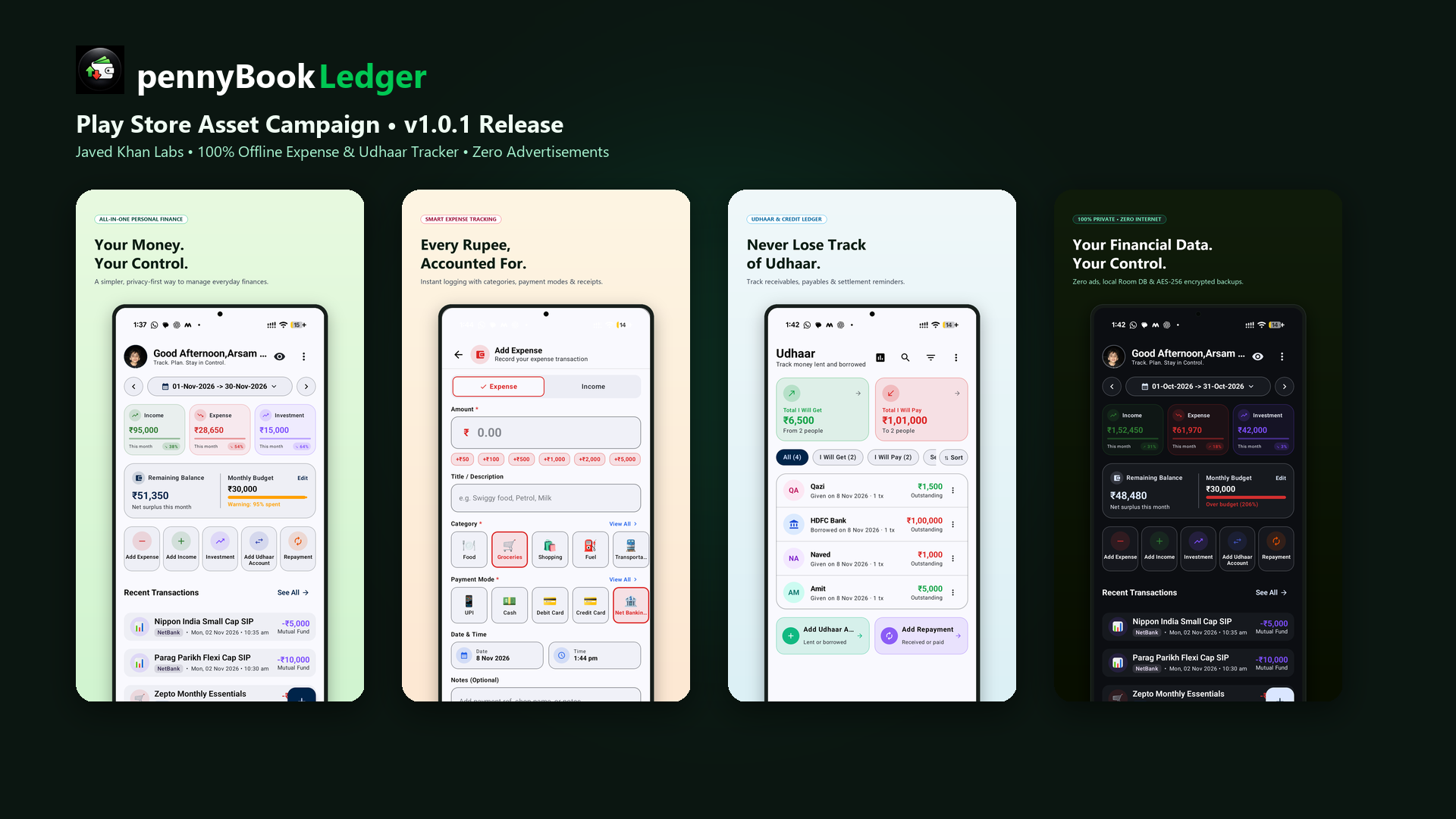
The modern, private personal financial manager for Android. Track income, organize daily expenses, balance Udhaar debts, and control monthly budgetsβ€”with zero cloud servers or third-party ads.
Get on Google Play Explore Features
πŸ”’ AES-256 SQLCipher
🀝 Udhaar Credit Ledger
πŸ“Š Visual Budgets
🌍 Multi-Currency
✨ Zero Advertisements
pennyBook Ledger App Showcase

Designed for Complete Financial Autonomy

Built with modern Android Jetpack Compose for speed, privacy, and seamless daily financial management.

πŸ’°

Income & Expense Tracking

Log transactions in seconds with smart categorization, payment mode tags (UPI, Cash, Card), custom notes, and automatic savings rate calculations.

🀝

Udhaar / Debt Ledger

Track money lent to or borrowed from friends, family, and colleagues. Monitor bank EMI schedules, settle partial amounts, and receive due-date reminders.

πŸ“Š

Budget vs. Expense Intelligence

Set custom monthly budgets with live spending progress bars. Analyze spending habits through interactive month-by-month financial charts.

πŸ“ˆ

Optional Investment Tracking

Seamlessly toggle investment tracking to record mutual funds, gold, stocks, and fixed deposits isolated cleanly from routine living expenses.

πŸ“„

CSV & PDF Statement Exports

Download structured CSV spreadsheets and professional PDF financial statements. Use local CSV templates with built-in duplicate detection and validation.

πŸ”

Encrypted Backups & Biometric Lock

Generate password-protected AES-256 .pennybook backups derived using Argon2id. Protect your ledger with Fingerprint, Face Unlock, or PIN.

Explore the Interface

Intuitive, clean, and distraction-free accounting designed around your everyday financial needs.
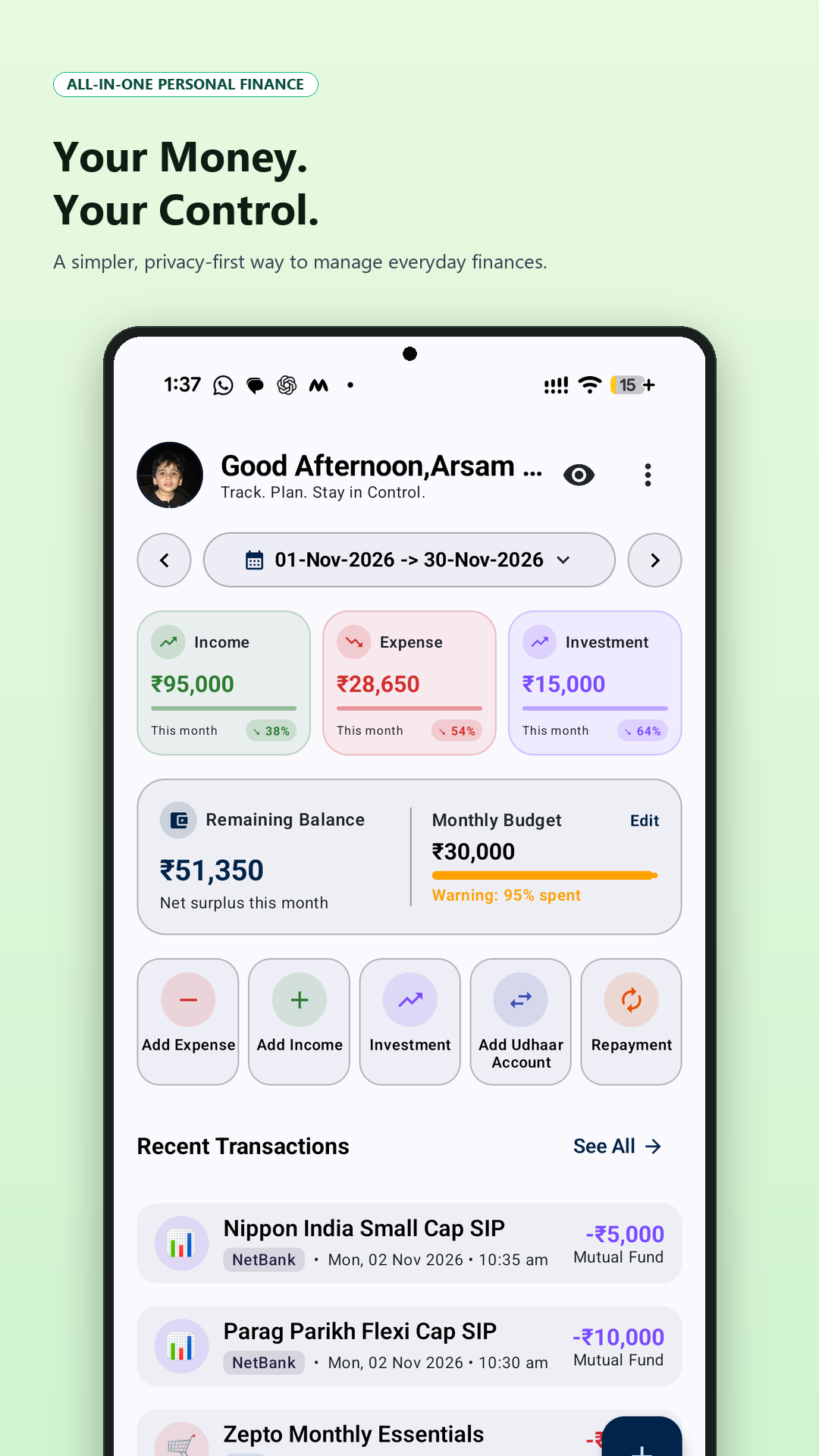
Financial Dashboard

Financial Dashboard

Complete cashflow, balance card & daily trend overview
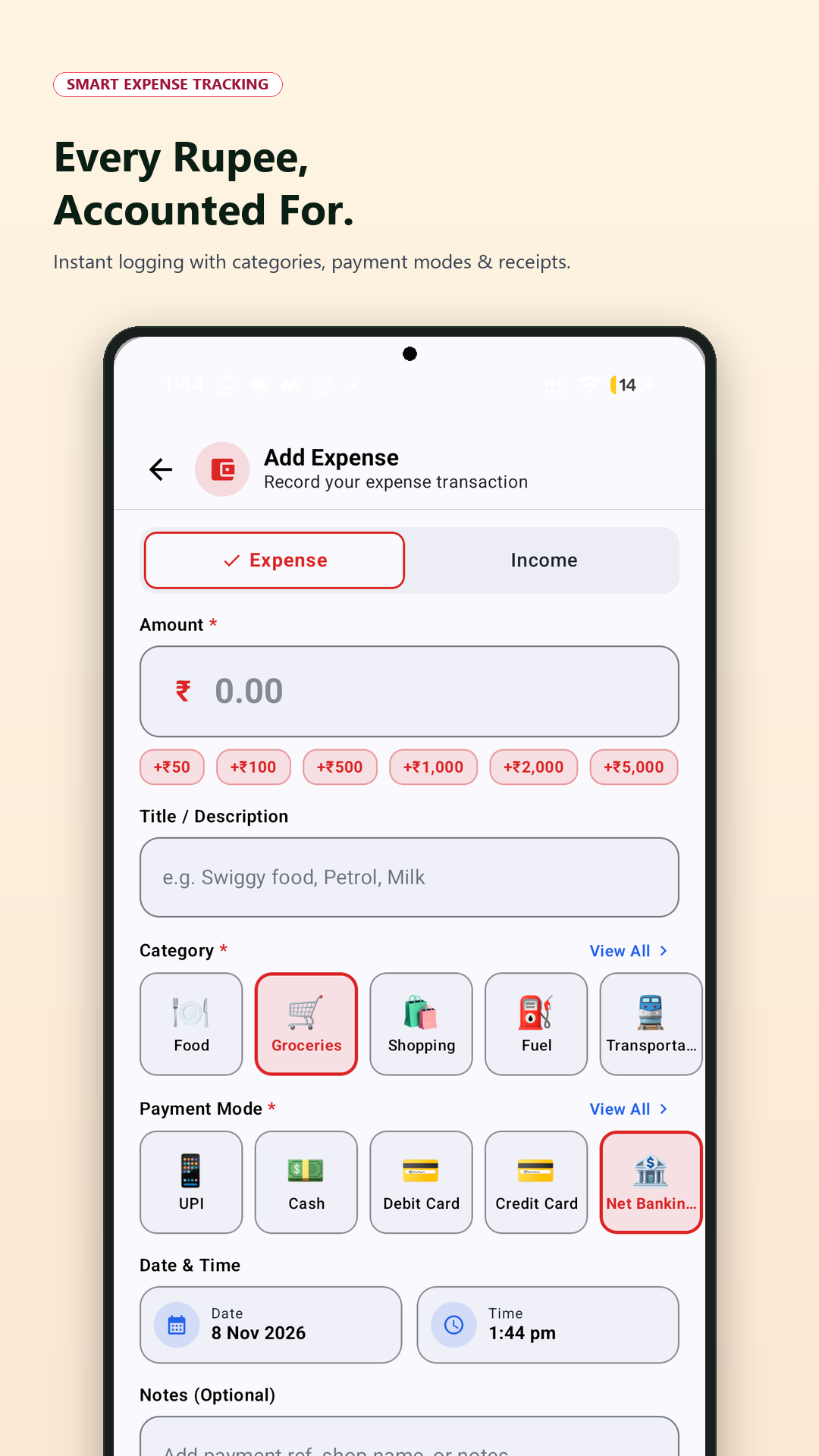
Smart Expense Tracking

Smart Expense Tracking

Fast record entry with categories, payment mode & notes
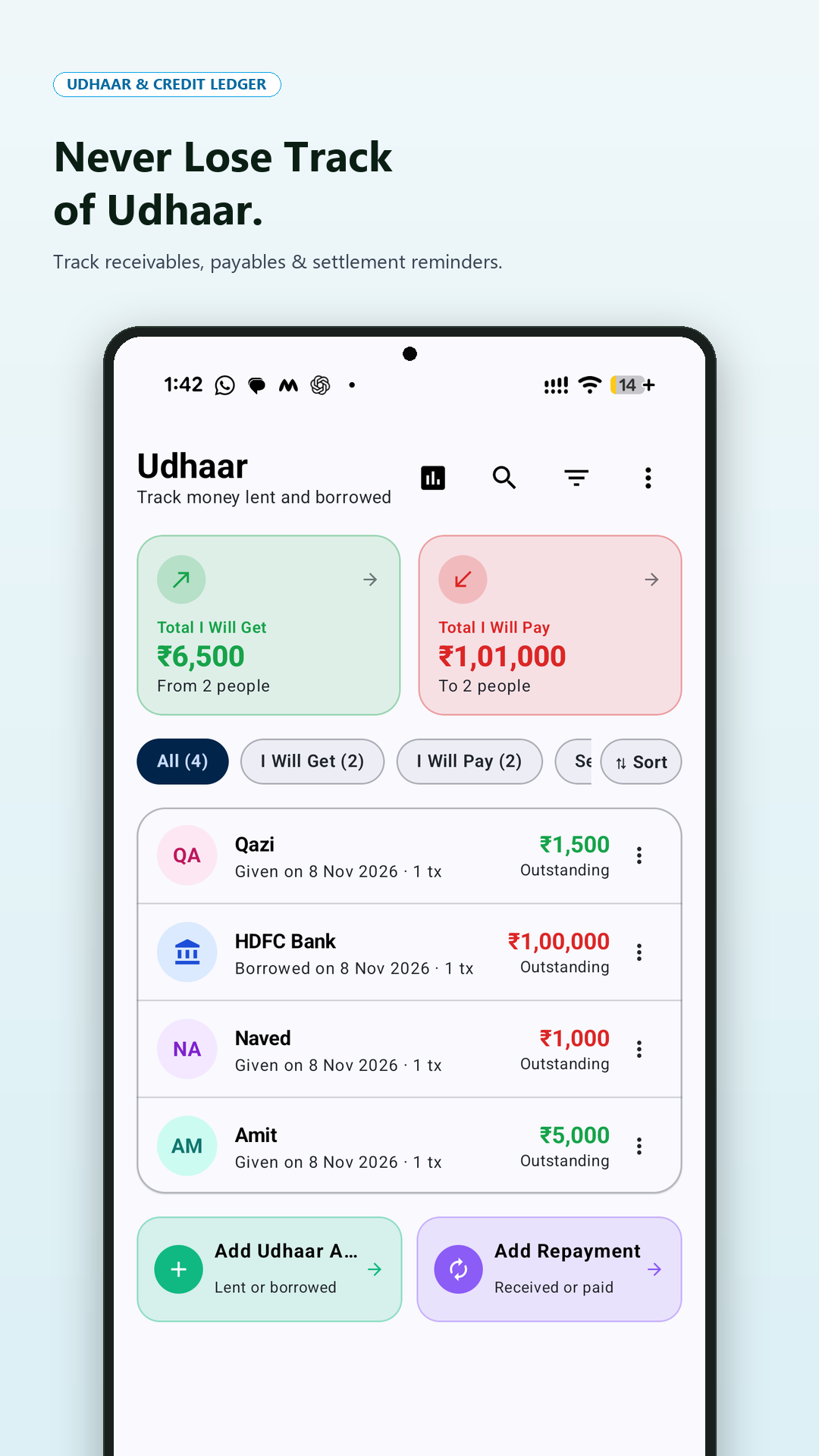
Udhaar & Credit Ledger

Udhaar & Credit Ledger

Track receivables, payables, settlements & borrower history
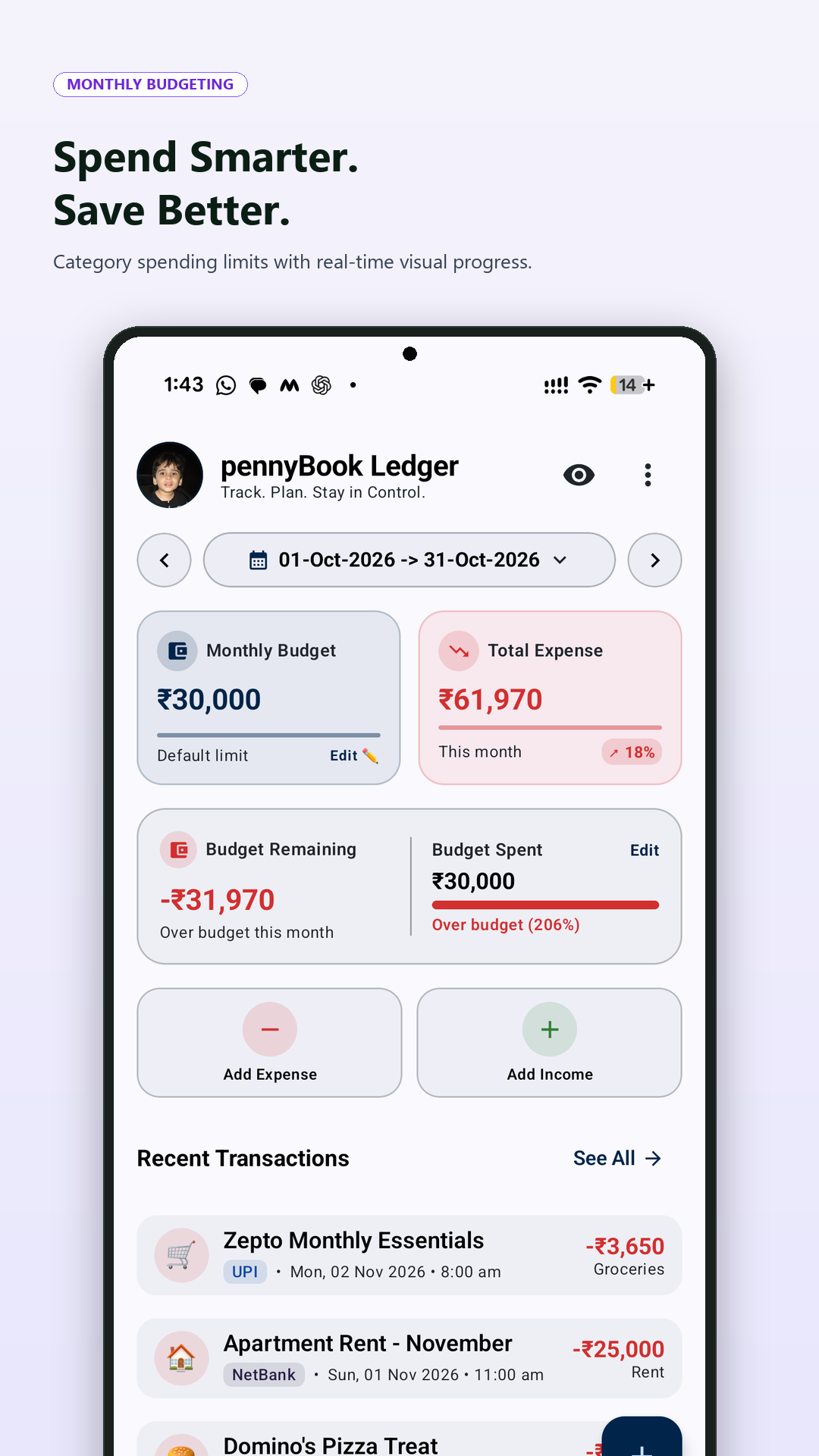
Monthly Budgeting

Monthly Budgeting

Category-wise spending limits with real-time progress bars
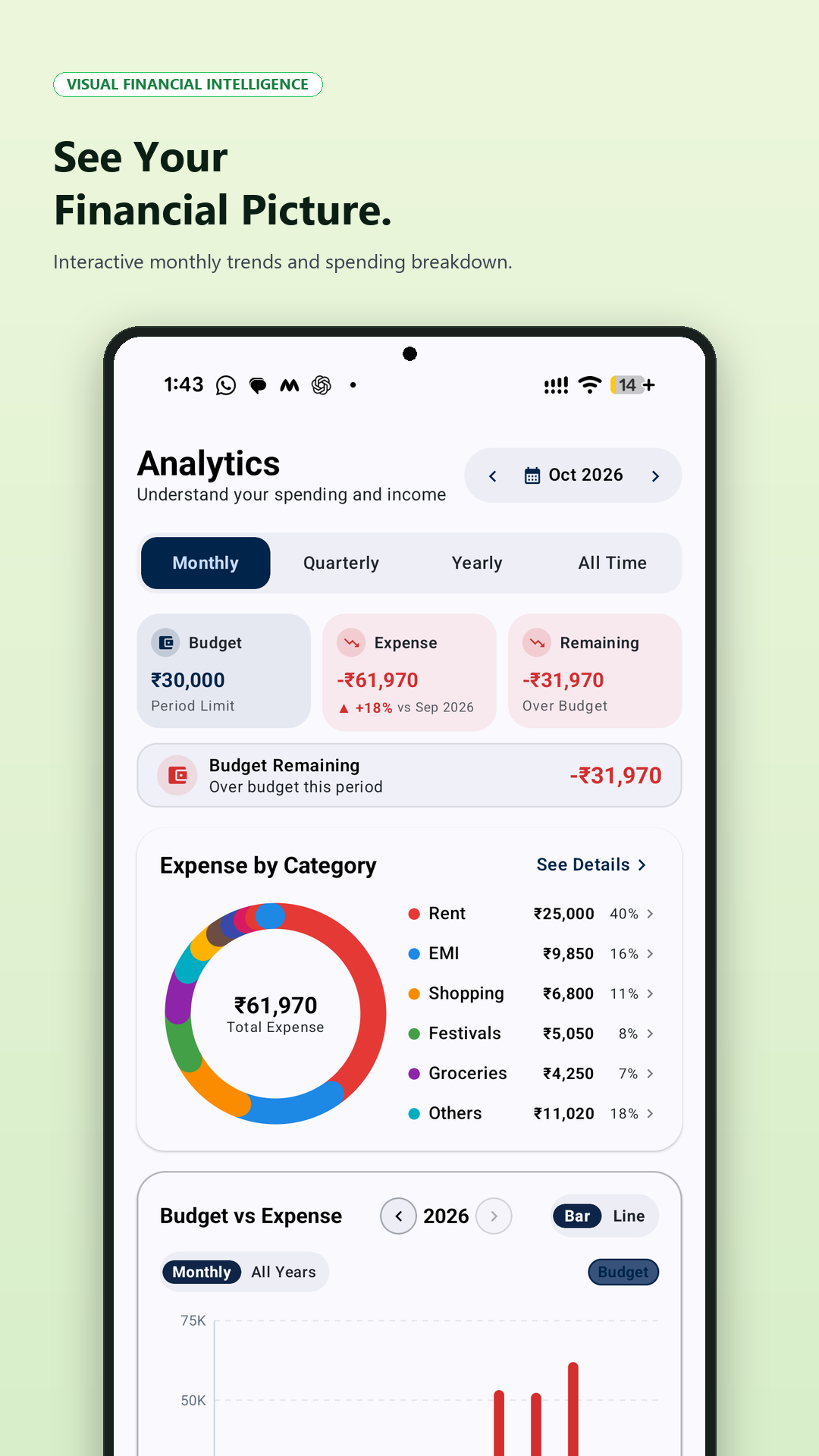
Visual Analytics

Visual Analytics

Budget vs expense trends and interactive breakdown charts
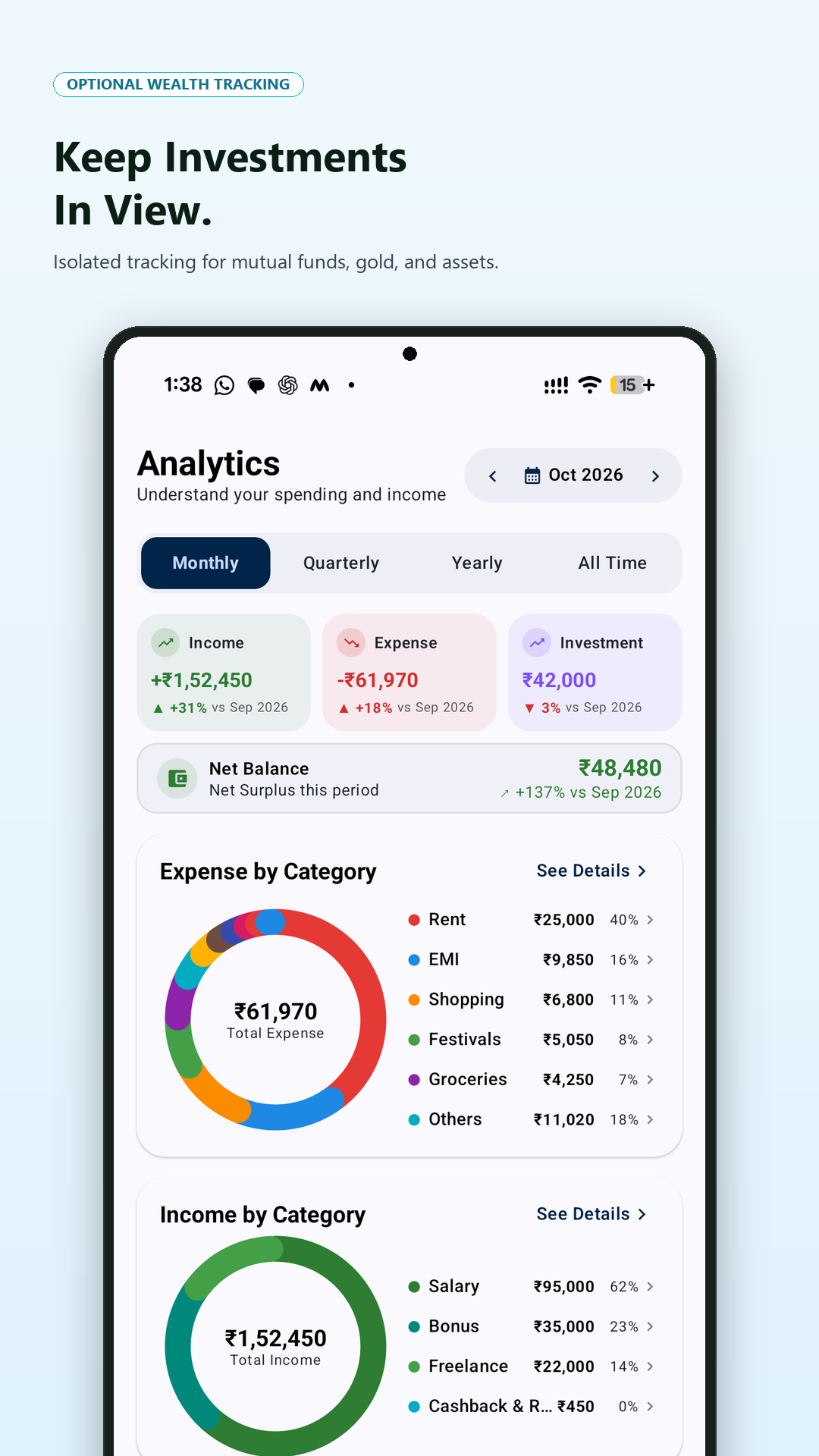
Wealth & Asset Tracking

Wealth & Asset Tracking

Monitor assets, returns, and category-wise distributions
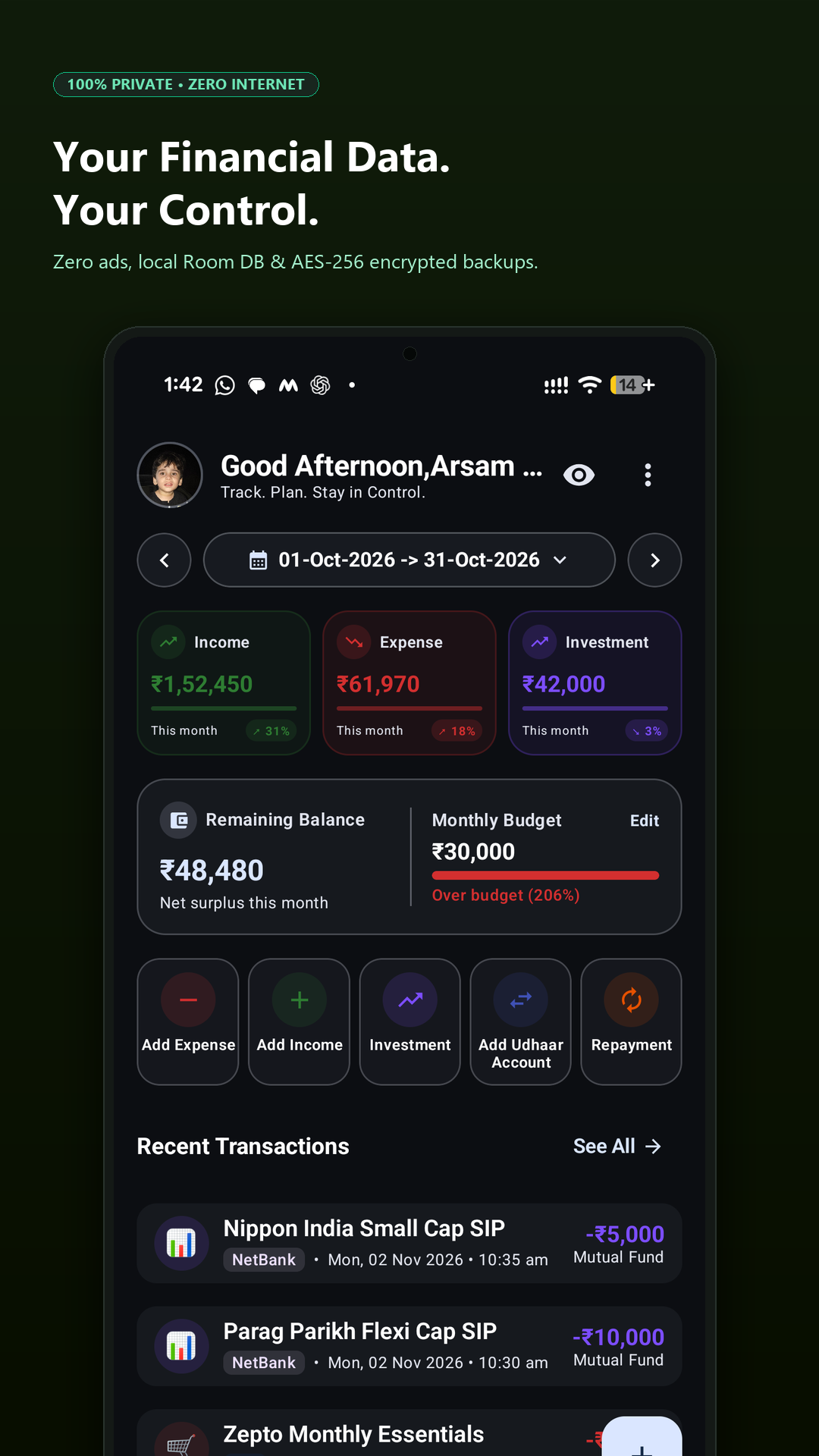
100% Private Offline Ledger

100% Private Offline Ledger

Zero internet permission, local Room DB & encrypted backups
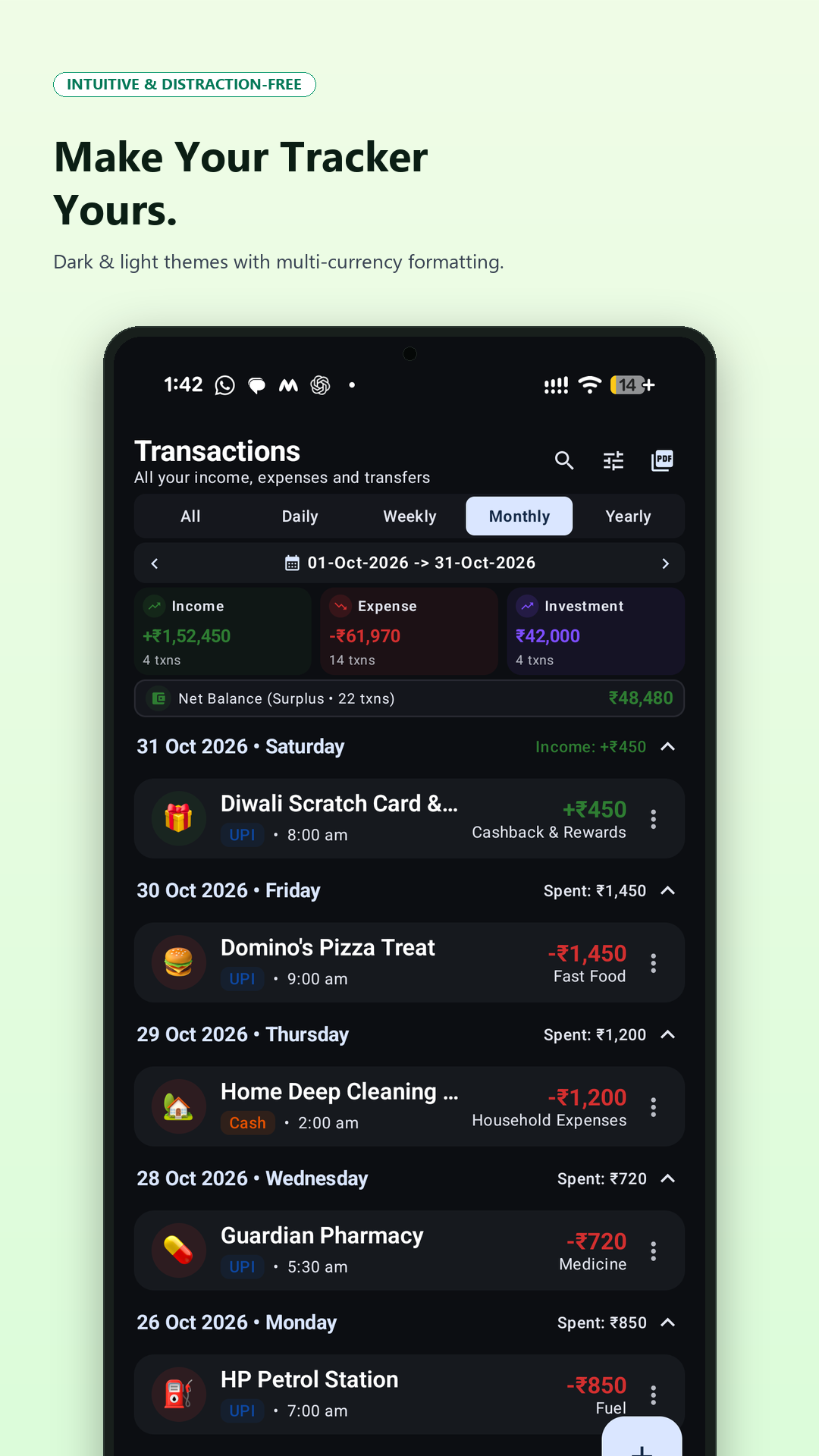
Theme & Experience Customisation

Theme & Personalisation

Dark/Light themes, multi-currency formatting & biometric lock

Privacy Isn't a Feature. It's Our Foundation.

Unlike traditional cloud budgeting apps, pennyBook Ledger never uploads your financial ledger to remote databases.

🚫 Zero Internet Access

The application does not declare android.permission.INTERNET. The Android OS prevents the app from opening network sockets or uploading telemetry.

πŸ” SQLCipher 256-Bit Encryption

All database records are protected by SQLCipher 4.17.0 and hardware-backed keys managed securely inside the Android Keystore.

πŸ›‘οΈ Cloud Backup Exclusion

Explicit OS data extraction rules ensure your private SQLite database and keys are never uploaded to automated Google Drive cloud backups.

Read Full Privacy Policy & Terms β†—

Frequently Asked Questions

Learn how to get the most out of pennyBook Ledger's offline tools.

How does pennyBook Ledger protect my data offline? +
All financial entries are stored locally on your device in a private SQLite database encrypted via SQLCipher 4.17.0. The application does not request internet access, ensuring zero external data transmission.
How do I back up and restore my records? +
Navigate to Settings β†’ Backup & Restore. You can create an encrypted .pennybook backup protected by a personal password using Argon2id and AES-256-GCM, or export an unencrypted SQLite .db snapshot. Files are saved directly to your chosen device folder via Android's Storage Access Framework.
Can I change currency and number formats? +
Yes. Open Settings β†’ Currency & Numbering. You can select your preferred ISO 4217 currency (INR, USD, EUR, GBP, AED, SAR, PKR, BDT, etc.) and toggle between Indian Numbering (Lakhs & Crores) and International Numbering (Millions & Billions). Stored records retain their exact numerical balance without accidental exchange rate conversion.
What is the Udhaar Ledger? +
The Udhaar Ledger allows you to track personal debts and receivables (money lent to or borrowed from others), record partial repayments, monitor bank EMI dates, and schedule battery-friendly notification reminders.
How does CSV import and template download work? +
From Backup & Restore β†’ Import from CSV, you can download an empty CSV template or a realistic sample CSV directly onto your device. Before importing, the app displays a full pre-import validation report with duplicate detection.

Ready to Take Control of Your Finances?

Download pennyBook Ledger today and experience modern, distraction-free expense tracking with 100% data autonomy.

Download on Google Play

Package: com.pennybook.expensetracker β€’ Version 1.0.1 β€’ Requires Android 8.0+